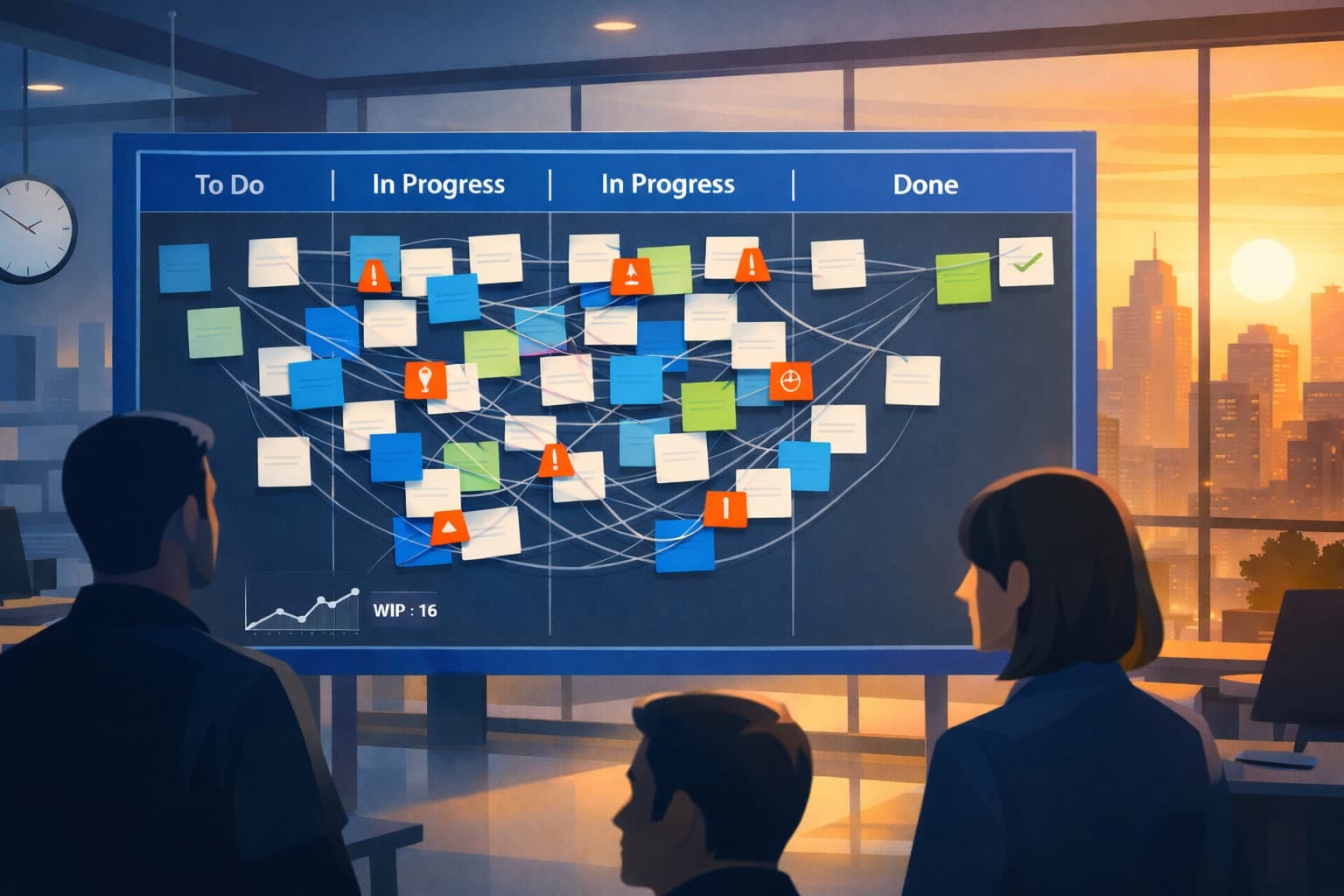
This sound familar?
Your team starts with 30 items. They finish 10. Cycle time is three sprints. Add context-switching tax, and it becomes four sprints. Same people, same capacity, four times slower. This is not a motivation problem.
It is a systems design problem.
Most organizations respond to slow delivery by starting more work. More projects in flight means more stakeholders feel heard, more teams feel busy, and more status updates look impressive. But the math does not care about optics. When work in progress (WIP) exceeds capacity, cycle time explodes and throughput collapses.
The DORA 2024 report reinforces this reality. High-performing teams do not work on everything at once. They limit work in progress, protect focus, and finish what they start. Teams with stable priorities report 40% less burnout and higher throughput across all four key metrics.
DORA 2024 Accelerate State of DevOps Report: https://dora.dev/research/2024/dora-report/
Five signs your team is overloaded
Overload does not announce itself. It manifests as behavior patterns that teams normalize, until delivery grinds to a halt. Here is what to look for:
1. High activity, low completion.
Your sprint reviews show 15 items in progress and 3 completed. Everyone is busy. Nothing ships. This is the signature of too much WIP.
2. Work sits waiting more than it moves.
Track how long items spend in "ready for review" or "blocked" status. If wait time exceeds active work time, you have a queue problem, not a capacity problem.
3. Frequent priority changes mid-sprint.
When everything is urgent, nothing gets finished. Constant reprioritization signals that intake is not being managed and that teams are reacting rather than delivering.
4. Increasing defect rates and rework.
Rushing between tasks degrades quality. If your change failure rate is climbing or your time to restore is lengthening, multitasking is likely the root cause.
5. Team exhaustion without delivery gains.
If your team is working overtime but velocity is flat or declining, you are burning people out while slowing the system. This is unsustainable.
Five corrective actions
You cannot fix overload by working harder. You fix it by changing the system. Here is where to start:
1. Set explicit WIP limits.
Limit the number of items a team can work on simultaneously. A good starting point is twice the team size. If you have five people, set WIP at 10. Enforce it.
2. Finish before starting.
Create a team norm: no new work enters the system until something exits. This forces prioritization and prevents queue buildup.
3. Protect the constraint.
Identify where work piles up (testing, code review, architecture approval). Limit what feeds into that stage and give the constraint team uninterrupted focus time.
4. Make queues visible.
Put your board on the wall or share it in every standup. When people see 20 items waiting and two items moving, the problem becomes undeniable.
5. Measure cycle time, not velocity.
Velocity tells you how much you started. Cycle time is the time it takes to complete. Track cycle time weekly. If it is increasing, your WIP is too high.
WIP limits starter policy
Use this as your baseline. Adjust based on what you learn.
WIP Limits Starter Policy

Team WIP Limit: 2x the number of people on the team
Example: 5-person team = 10 items max in progress

Per-person WIP Limit: 2 items max actively worked
If someone finishes their work and the team is at the WIP limit, they:
- Help someone else finish their work (swarming)
- Work on technical debt or process improvement
- They do NOT start new feature work

Column WIP Limits (Kanban-style boards):
- Backlog: Unlimited (prioritized stack)
- Ready: 1.5x team size (e.g., 5-person team = 8 items max)
- In Progress: 1x team size (e.g., 5-person team = 5 items max)
- In Review: 0.5x team size (e.g., 5-person team = 3 items max)
- Done: Unlimited

Enforcement Rules:
1. If a column hits its WIP limit, no new work enters that column
2. Team swarms to clear the bottleneck before pulling new work
3. Leadership commits to stable priorities for the sprint
4. Urgent work can enter only if something else exits

Review Cadence:
- Review WIP limits weekly in retrospectives
- Adjust limits based on cycle time and throughput data
- Goal: Reduce cycle time by 20% within 4 weeks
This policy works because it creates forcing functions. When the team reaches a limit, they must either finish the work or explicitly decide to break the rule. Both actions make the system visible.
Manager checklist: how to support flow
Managers control the conditions that enable or prevent flow. Use this checklist weekly.
☐ I protected the team from new priorities this week.
Did you hold the line on scope changes during the sprint? If not, what will you do differently next week?
☐ I asked about cycle time, not just velocity.
Did you review how long items took to finish, or only how many were started?
☐ I made the queue visible in leadership meetings.
Did you show stakeholders how much work is waiting versus how much is moving?
☐ I blocked low-priority work from entering the system.
Did you say no to requests that would exceed WIP limits, or did you let them through?
☐ I celebrated finishing over starting.
Did you recognize the team for completing work, or only for picking up new work?
☐ I gave the constraint team uninterrupted focus time.
Did you protect their calendar from meetings and low-priority requests?
☐ I reviewed our WIP limits and adjusted based on data.
Did you review cycle time trends and discuss whether the limits are too high or too low?
If you checked fewer than five boxes, your system is working against flow. Start with the unchecked items this week.
Your challenge this week
Pick one corrective action from the list above. Implement it this week. Measure cycle time before and after. If it improves, keep the change. If it does not, proceed to the next step.
Multitasking feels productive because everyone is busy. But busy is not the same as effective. High-performing teams finish work. They do not just start it.