AI is not a magic wand; it is a power tool. If you hand a power tool to a team with a dysfunctional process, you do not get faster; you get messier, faster.
If you hand it to a team with solid fundamentals, you get leverage.
2026 reality check: Gartner is signaling AI-native development platforms because AI is moving from “something you use” to part of “how software gets built.” DORA’s 2024 research reinforces the same theme from a delivery-performance angle: systems and capabilities matter more than heroics.
Take a look: Gartner, Top Strategic Technology Trends for 2026 (Press Release) | Gartner, Top Technology Trends 2026 (Article) | DORA Report 2024 (Web) | DORA Report 2024 (PDF)
What changes, what stays
What stays: empiricism, transparency, focus, and short feedback loops. Scrum and Kanban already assume uncertainty; we inspect and adapt because we do not get perfect information up front.
What changes: the speed and surface area of work. AI can generate more code, more tests, more documentation, more analysis. It can also generate more risk, more ambiguity, and more false confidence if you treat output as truth.
AI does not replace teams; it exposes the system's health.
If your workflow is healthy, AI gives you leverage. If your workflow is broken, AI accelerates dysfunction.
AI as a teammate, not a shortcut
Think of AI like a junior teammate that works at lightning speed, occasionally hallucinates, and never sleeps. You still need review, guardrails, and accountability.
1) Refinement: from “write stories” to “reduce uncertainty.”
Refinement is where teams quietly win or lose, likely one of the most important events in an agile process. AI can help you get to clarity faster, as long as humans own the decisions.
Where AI helps
- Backlog slicing suggestions: propose thinner vertical slices; suggest splits by workflow step, rules, or happy-path first.
- Acceptance criteria drafts: generate a first pass; the team validates and rewrites.
- Dependency and risk surfacing: summarize likely integration points; list assumptions and unknowns.
- Customer language translation: convert research notes into problem statements and hypotheses.
Guardrails to add
- AI may draft; humans decide.
- Track “assumptions we are making”; AI can list them, and the team confirms or kills them.
- If AI touches sensitive inputs, document it and follow your data policies.
Measurable outcomes
- Less rework from misunderstood requirements
- Higher Sprint Goal hit rate
- Shorter time from “idea” to “ready enough to start.”
2) Testing: faster coverage, stronger Definition of Done
If you only use AI for code generation, you will ship faster defects. If you use it to strengthen testing, you get real speed.
Where AI helps
- Test case generation: derive scenarios from acceptance criteria and edge cases.
- Unit test scaffolding: draft tests and mocks; developers validate and refine.
- Regression risk hints: identify likely breakpoints based on change diff and past incidents.
Exploratory testing prompts: propose “what could go wrong” paths for humans to explore.
Definition of Done upgrade: AI-assisted code must include human-reviewed tests and pipeline verification. Treat AI output as untrusted until it is proven by automated checks and peer review.
Measurable outcomes
| Measure | Why it matters |
|---|---|
| Defect escape rate | AI can increase throughput; this tells you if quality is collapsing quietly. |
| Change failure rate | Measures stability of releases, not just speed of output. |
| MTTR | When things break, fast recovery is a sign of a resilient system. |
| Rework ratio | Shows if AI is helping you learn earlier or just generating churn. |
3) Release notes: turn a chore into a feedback accelerator
Release notes are often an afterthought; that is a missed opportunity. AI can turn release notes into a mechanism for customer trust.
- Draft release notes from PRs, tickets, and commits.
- Produce two versions: customer-friendly and internal operational detail.
- Flag risky phrasing so you do not promise what you did not deliver.
Simple rule: AI can write the first draft. A human owns the final truth, tone, and accountability.
4) Customer feedback synthesis: stop drowning in data
Teams collect feedback, then ignore it because it is too much. AI can synthesize signals quickly; humans decide what matters.
- Cluster themes from tickets, NPS comments, interviews, and reviews.
- Identify top friction patterns and likely root causes.
- Draft next discovery questions; what do we need to learn next?
Guardrail: avoid feeding sensitive customer data into unapproved tools; spot-check synthesis, as AI can overemphasize loud outliers.
5) Risk surfacing: make security and trust part of flow
AI expands your attack surface. This is not theoretical.
OWASP’s Top 10 for LLM applications is a practical map of what can go wrong when teams ship AI features without guardrails: prompt injection, insecure output handling, training data poisoning, model denial-of-service, supply chain issues, sensitive information disclosure, and more.
OWASP references: OWASP Top 10 for LLM Apps | OWASP GenAI, LLM Top 10
Where AI helps with risk surfacing
- Generate a risk checklist for a user story that touches AI.
- Propose threat scenarios; prompt injection paths, data leakage paths.
- Draft secure coding guidelines for LLM integrations.
Flow guardrail: If a story touches AI, add a lightweight “LLM risk review” before release. Validate outputs before they touch downstream systems, and monitor usage to prevent cost spikes and denial-of-service scenarios.
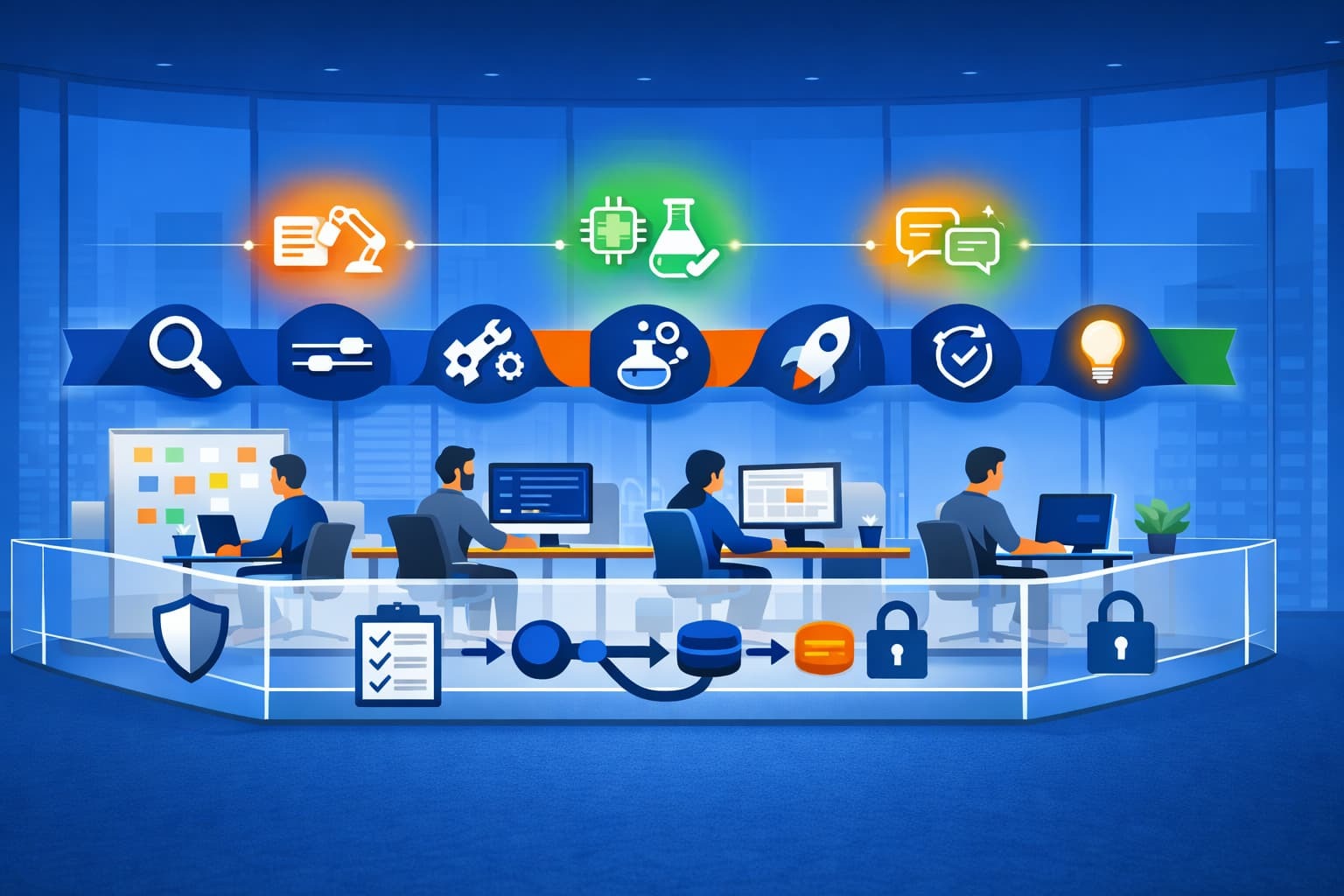
One simple diagram to align the team
Draw this on a whiteboard or drop it into a doc:
Diagram: “AI Insertion Points in Scrum and Kanban Flow”
1) Draw a left-to-right flow: Discovery → Refinement → Build → Test → Release → Learn
2) Above the flow, add three “AI helper” bubbles: Drafting, Amplifying tests, Synthesizing signals
3) Below the flow, add a guardrail bar: Data policy, Human review, Security checks (OWASP LLM Top 10)
4) On the right, write outcomes you will measure: Lead time, Change failure rate, Defect escape rate, Customer impact
A 30-day starter plan
You do not need a six-month “AI transformation program.” You need one month of disciplined learning.
Days 1–7: Pick one thin slice, set guardrails
- Choose one workflow: release notes, test generation, or feedback synthesis.
- Write down what data is allowed and what is not.
- Update Definition of Done for AI-assisted work.
- Pick 3 measures: one speed, one quality, one customer signal.
Days 8–15 Run it end-to-end
- Use AI only in the chosen step.
- Require human review for anything customer-facing or production-impacting.
- Track time saved and defects introduced.
Days 16–23: Add risk surfacing
- If your slice touches AI features, add an OWASP LLM Top 10 check.
- Add output validation before downstream consumption.
Days 24–30 Inspect, adapt, decide
- What improved, what got worse, what surprised you?
- Keep, scale, or stop. Publish what you learned internally.
- If it worked, expand to the next insertion point.
Five pitfalls to avoid
- Treating AI output as truth. AI is a draft machine, not a truth machine. Verify or regret it later.
- Skipping the operating model change. AI-native platforms are not “buy tools.” They change how software gets built. See Gartner’s 2026 trends.
- Letting speed outrun trust. If people fear blame, they will hide problems. Hidden problems cost more.
- Ignoring OWASP-class risks. Prompt injection and insecure output handling are common failure modes, not edge cases.
Measuring activity instead of outcomes. “AI usage” is not a win. Reduced rework, improved stability, faster learning, and better customer outcomes are wins.
Bottom line: AI belongs in the workflow, not on a pedestal. Start small, protect trust, measure outcomes, and let the results tell you what to do next.